 Connect Garden
Support
Write to us from the game
The easiest way: open Settings → Help → Write to us. Your message arrives with the app version and your level, so we can help faster, and our answer appears in Settings → Help → Messages. You can also email hello@thenextbeacon.com.
How do I play?
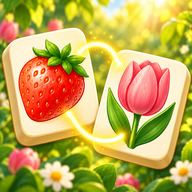
Tap two matching pictures. They disappear if a line can join them with at most two turns, going around other tiles or along the outside of the board. Settings → How to play shows every allowed and not-allowed move on a little board.
Stuck? The hint button shows a pair, shuffle mixes the tiles, and undo takes back your last move.
A new phone: keep my garden
Turn on Settings → Your garden → Cloud backup and note your garden code. On the new phone, open Settings → Your garden → Restore with a code and type it in. Photo packs are not backed up: they never leave your phone.
Purchases
Bought something on another phone? Use Settings → Restore purchases while signed in with the same Apple ID or Google account. Refunds are handled by the App Store or Google Play.
Text too small, sounds too loud?
The game follows your phone's text size. In Settings you can turn on Bigger tiles, Coloured tile frames and Helpers on the other side (for left hands), and set sound and music volumes separately.
Privacy
See the privacy policy. In short: your photos never leave your phone, and statistics are anonymous and can be switched off.